
MatchPoint · Approvals
Every sign-off in your close, in one place.
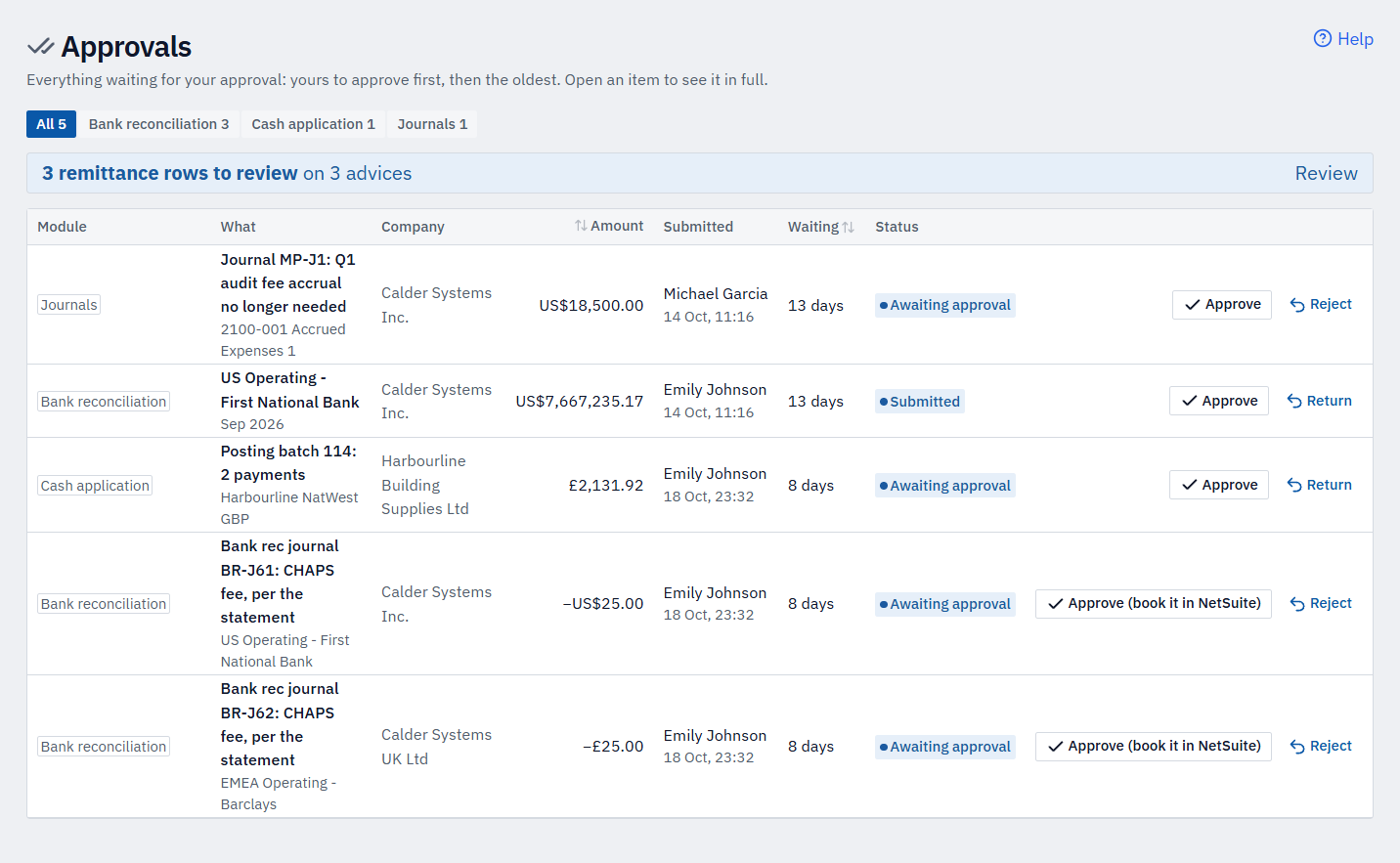
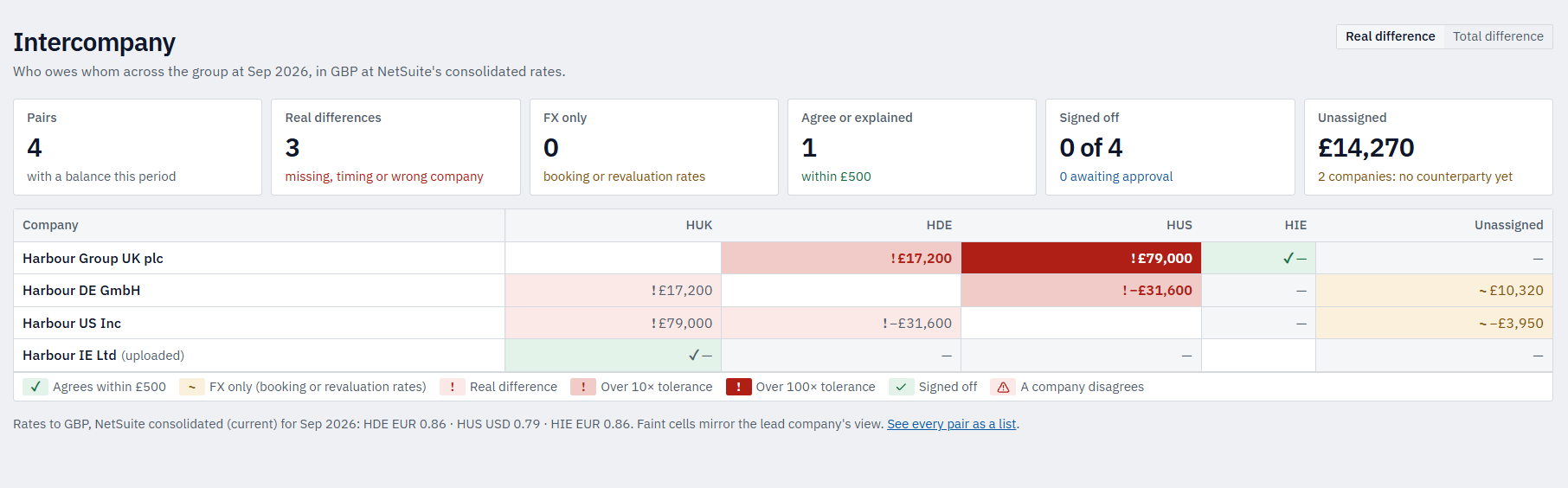
Reconciliations, bank reconciliations, journals, cash application batches and intercompany pairs all land in one inbox for the right approver. Review each in full, approve or return it with a reason, and send approved journals and payments to NetSuite — with segregation of duties built in.
The problem
Sign-off scattered across modules, inboxes and spreadsheets waits on whoever happens to be at their desk — and separation-of-duties rules that live in a policy, not the system, are easy to bend.
In detail
What approvals gives you.
Control built in
Segregation of duties, enforced
Nobody approves their own work — administrators and delegates included. The preparer and approver on an account must be different people, and the system refuses to let them be the same.
Review each item in full
Open the item and see the real detail — the GL impact before and after, the evidence, comments and activity — not a one-line summary.
Approve, or return with a reason
Approve with a confirmation, or return it with a required reason that goes back to the preparer. They fix it and resubmit.
Limits and guardrails
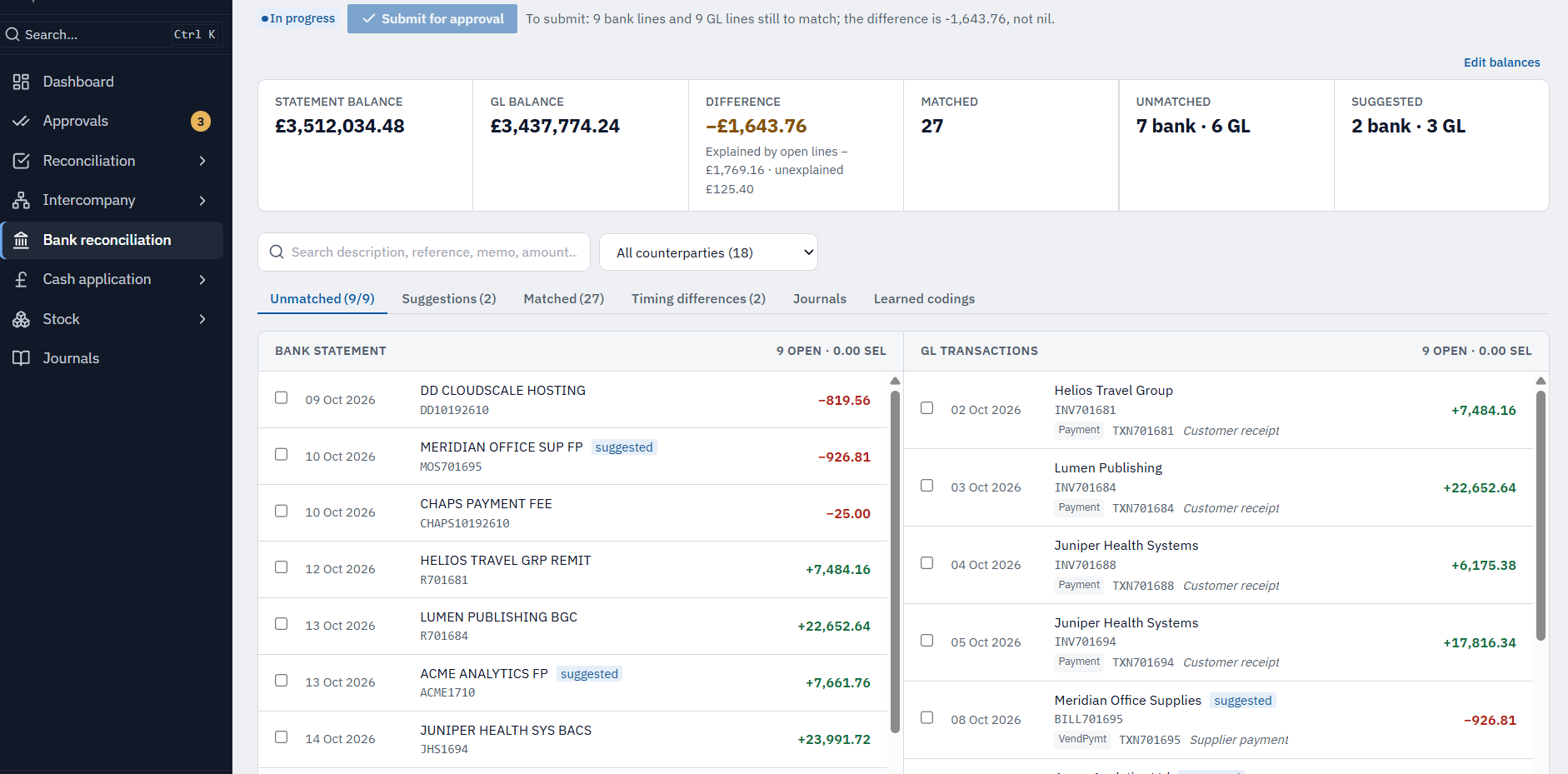
Approval limits by role and a maximum journal amount, plus adjustment guardrails on bank rec — each checked in the company's own currency.
Proof and reach
A tamper-proof audit trail
Every submission, approval, return and reopen is logged with who, when and from where, and can't be edited or deleted. Each item keeps its own activity history, and bank reconciliations produce a printable evidence pack with the full sign-off chain.
Approved means booked
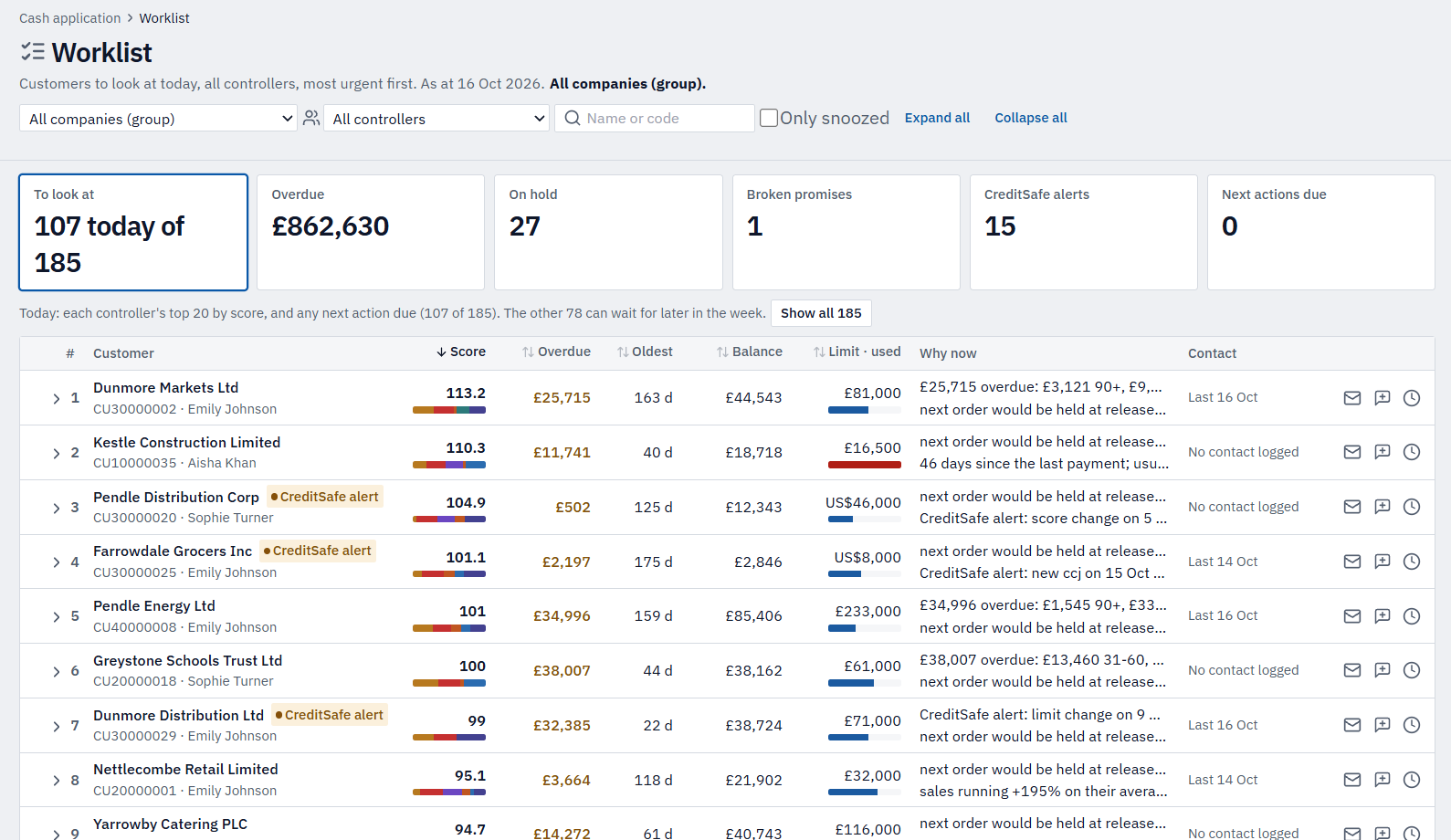
Approved journals and customer payments reach NetSuite — by import file or direct posting — then are matched back by reference and their reconciling items clear.
Clear ownership and cover
A named approver and backup on every account, and date-ranged delegation for leave — delegates act under their own name, so nothing stalls and nothing is lost.
Multi-company, multi-currency
Amounts shown in each company's own currency, with access limited to the companies you're entitled to see.
Journal · MP-J1
Q1 audit fee accrual no longer needed
GL after this journal
($4,566,685.49)($4,548,185.49)
Record-only · approved journals go to NetSuite in an import file
Maker-checker, built in
One pattern for every sign-off.
Submit
The preparer submits a reconciliation, journal, bank rec, cash batch or intercompany pair. Pre-submission checks run first — it must balance, the NetSuite period must be open, and required fields and evidence must be in place.
Review & decide
A different approver opens it, sees the GL impact and evidence, and approves — or returns it with a required reason. If the balance moved since submission, they're warned before they sign.
Booked in NetSuite
Approved journals and payments reach NetSuite once, are matched back by reference, and clear their reconciling items. There's no bulk approval — each item is signed off on its own.
Oversight & safety nets
The things that keep the close honest.
Balance changed since approval
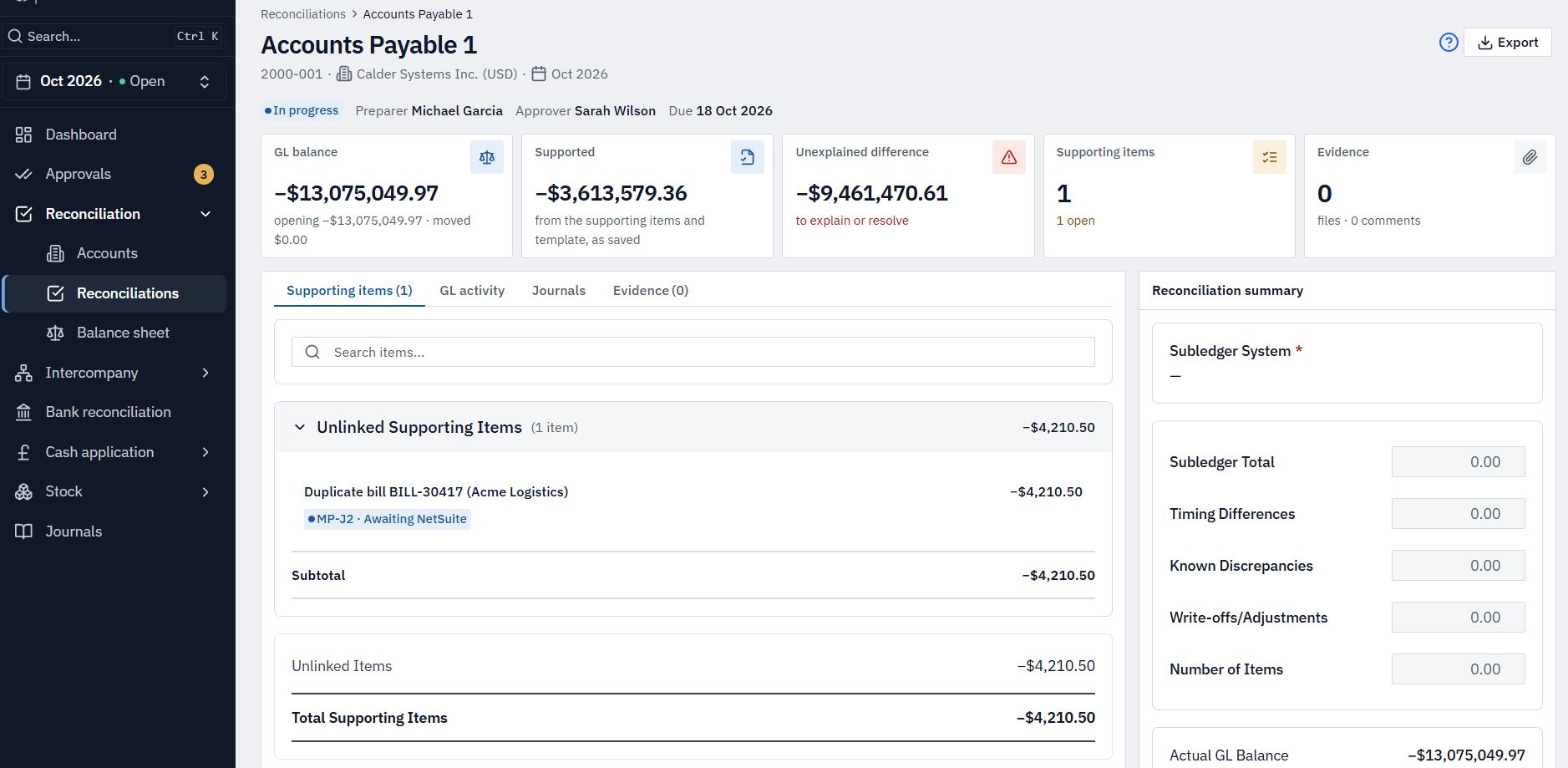
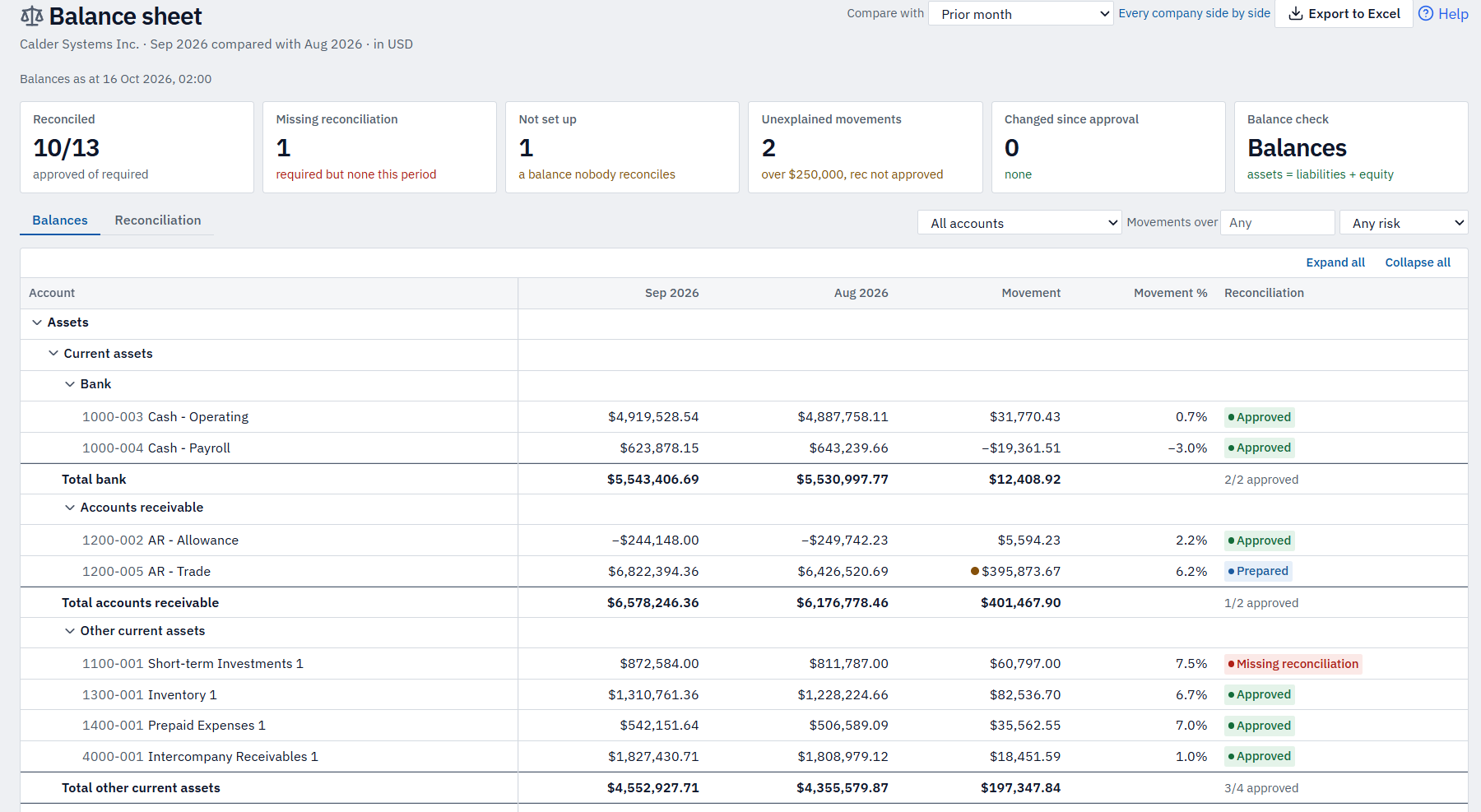
If NetSuite moves a signed-off balance after approval, it's flagged with the transactions that changed — so a late journal can't quietly undermine a reconciliation that's already been approved.
Auto-certification of low-risk accounts
Accounts that are zero-balance or haven't moved can be certified automatically under rules you set, each one logged with its reason — so reviewer time goes to the balances that matter.
Visibility for managers
Dashboard widgets, days-waiting on every item, and admin views of average approval time and what's overdue — so controllers can see what's holding up the close and chase it.
Notifications, when you want them
Submission, approval and return emails, a daily summary and overdue reminders — sent when your organisation switches them on.
More of MatchPoint
Explore the other modules.
See it on example data.
A 30-minute walkthrough on Calder Systems' close, then a conversation about yours.