
MatchPoint · Balance sheet & journals
The balance sheet, with the reconciliation behind every line.
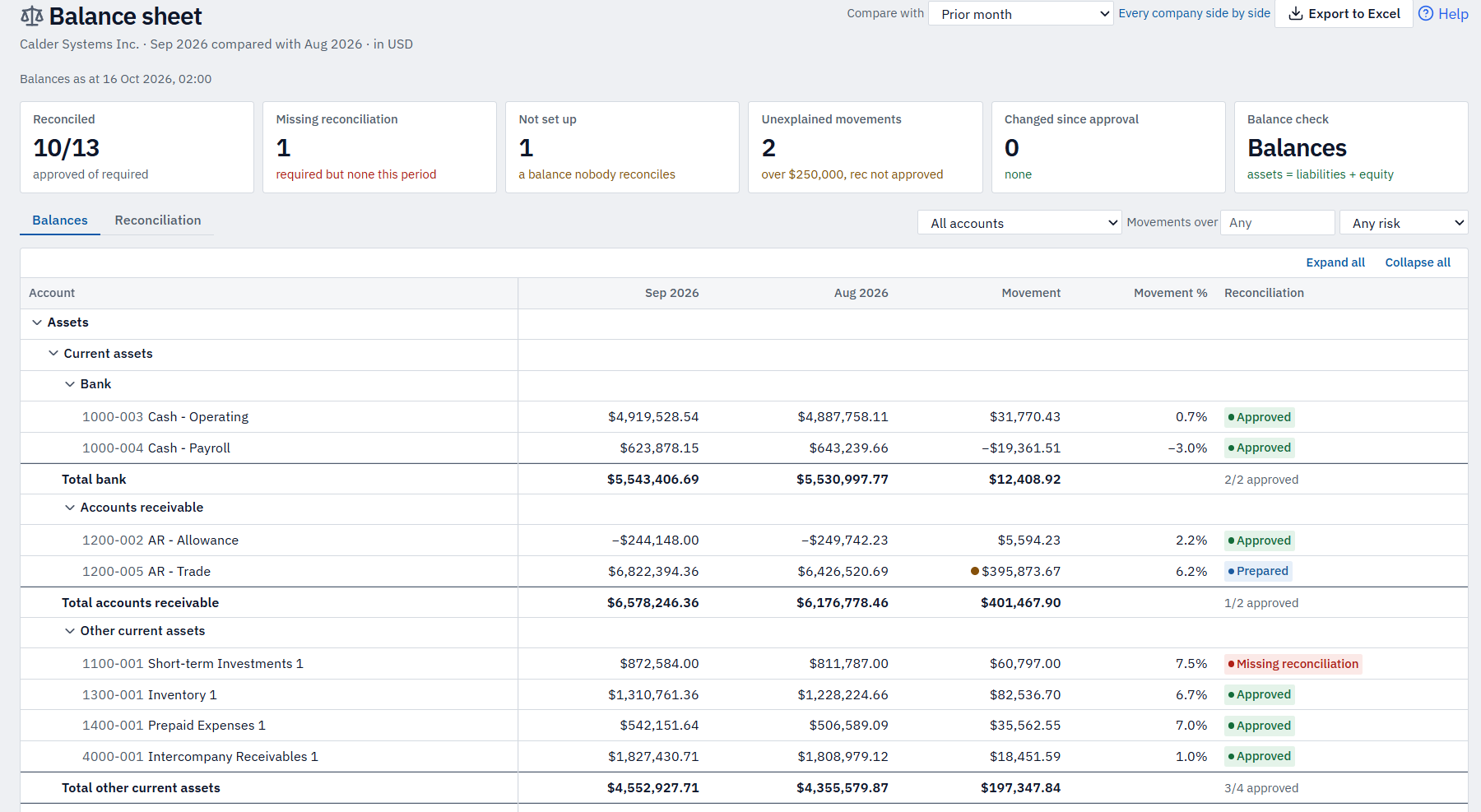
A comparative balance sheet that NetSuite doesn't give you, showing for each account whether it's been reconciled, by whom, and what's still unexplained.
The problem
NetSuite won't give you a comparative balance sheet with the reconciliation behind each line — so movements go unexplained, and corrections get lost between the spreadsheet and the ledger.
In detail
What balance sheet & journals gives you.
The balance sheet.
One company's balance sheet, built from NetSuite, with each account's sign-off status — and what's still unexplained — beside its balance.
Comparatives
This month against last month, the year end, the same month last year or any period you choose — with the movement and % beside every line.
Reconciliation status on every line
Approved, in progress, missing or not set up — with the preparer, approver and due date.
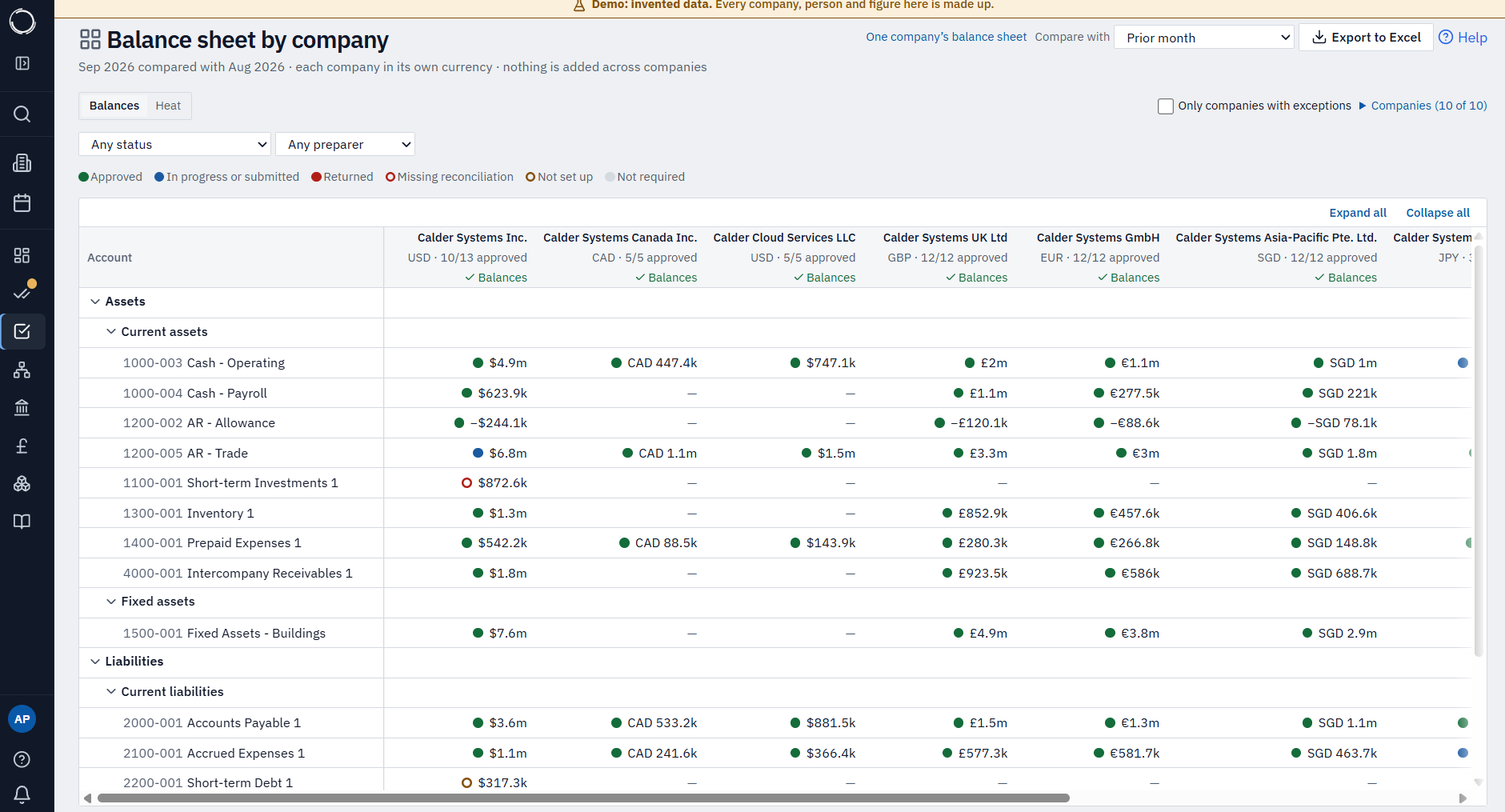
Every company side by side
Each in its own currency, with drill-down to the reconciliation.
Unexplained movements flagged
Above a threshold you set.
The balance check
Assets equal liabilities plus equity, to the penny, every month.
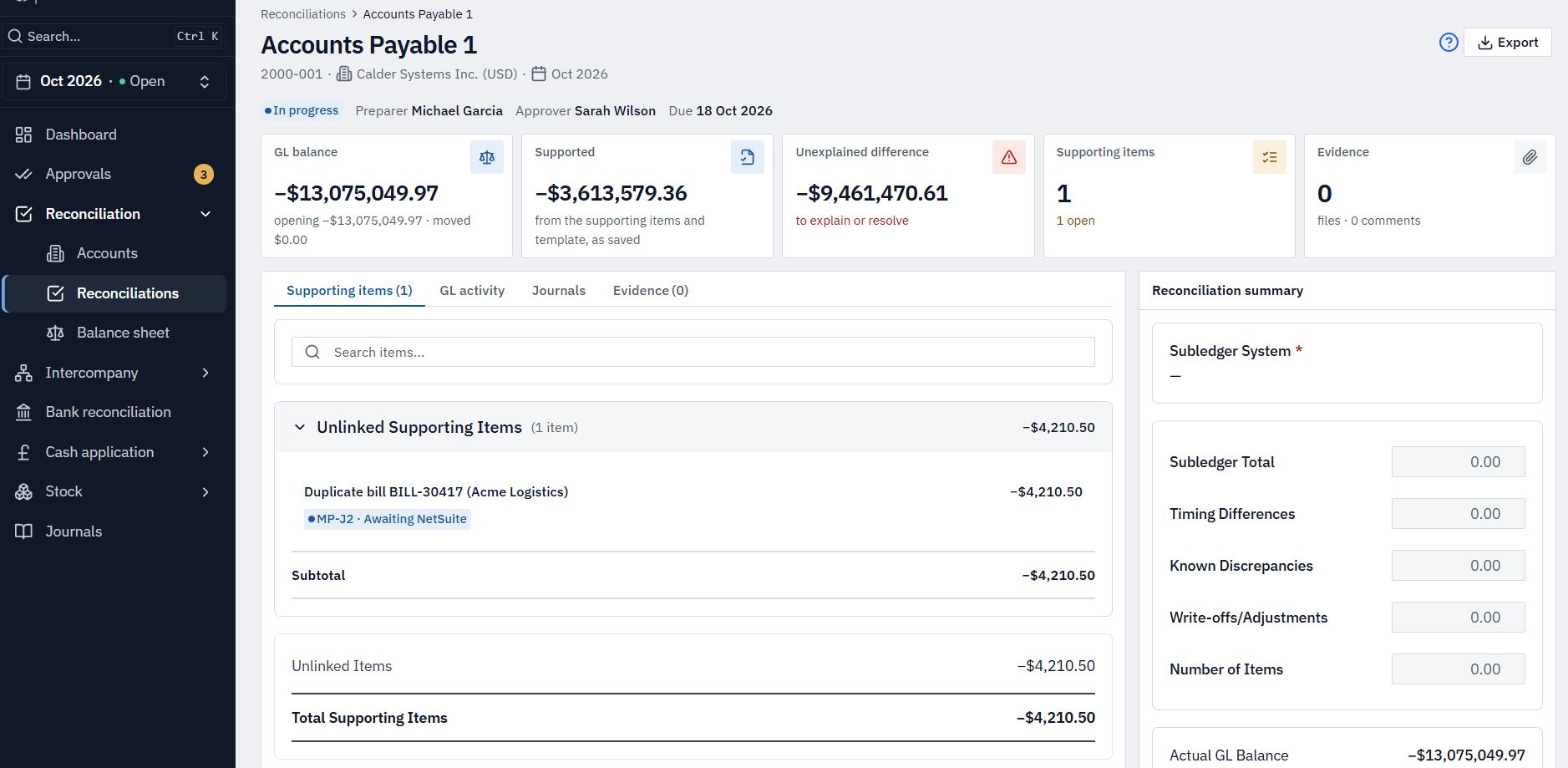
Journals from the reconciliation
Propose a correcting journal where you find the problem, approve it, and export it for NetSuite.
Excel export
The sheet as shown, as an Excel file.
Comparative balance sheet — follow along as you read
What needs attention
Six checks, every month.
Every account is scored as the ledger refreshes. Six cards sit above the sheet — tap one to see just the accounts behind it.
Reconciled
How many of the accounts that need one are approved — x of y, by section.
Missing reconciliation
Accounts that should be reconciled this month but aren't.
Not set up
Accounts carrying a balance that nobody is set up to reconcile.
Unexplained movements
Movements over a threshold you set, where the reconciliation isn't yet approved.
Changed since approval
Balances that moved after sign-off, so an approval no longer matches the ledger.
Balance check
Assets equal liabilities plus equity — or it tells you what it's out by.
Across the group
Every company, side by side.
The same accounts across every company you can see, each column in its own currency, with approval progress and the balance check in each header.
It’s a status view for watching the close — not a consolidation. Nothing is added up across companies or currencies.
Trusted figures
Numbers you don’t have to double-check.
Balances are read from NetSuite and checked to the penny against its own trial balance before they appear. A real difference refuses the whole refresh, every balance carries the moment it was read, and once a period is locked its signed-off figures never change.
Confirm before launch: Confirm balance refresh cadence (hourly vs on a set schedule) before stating it on the page.Fix it where you found it.
When a reconciliation turns up something that needs correcting, the journal starts right there — and finds its own way back to a cleared item.
From correction to cleared
A correcting journal that clears itself.
Propose
Raise a journal straight from the reconciliation item that needs it. MatchPoint pre-fills the account, a suggested offset, the period-end date, memo and currency — you edit the lines, add department, class or location, and attach the evidence.
Check
On submit it won't go forward unless it balances, the accounts are active, the NetSuite period is open, and the required segments and evidence are there.
Approve
Someone other than the preparer approves it — seeing the GL after this journal before they do — or returns it with a reason as a new version.
Clears itself
Approved journals leave for NetSuite as a file your team imports; nothing posts on its own. After the next ledger load MatchPoint matches the journal back by its reference and clears the reconciliation item for you.
Scope
Corrections are raised from a reconciliation — one subsidiary and one currency each. Intercompany journals aren’t supported, and nothing posts to NetSuite on its own.
More of MatchPoint
Explore the other modules.
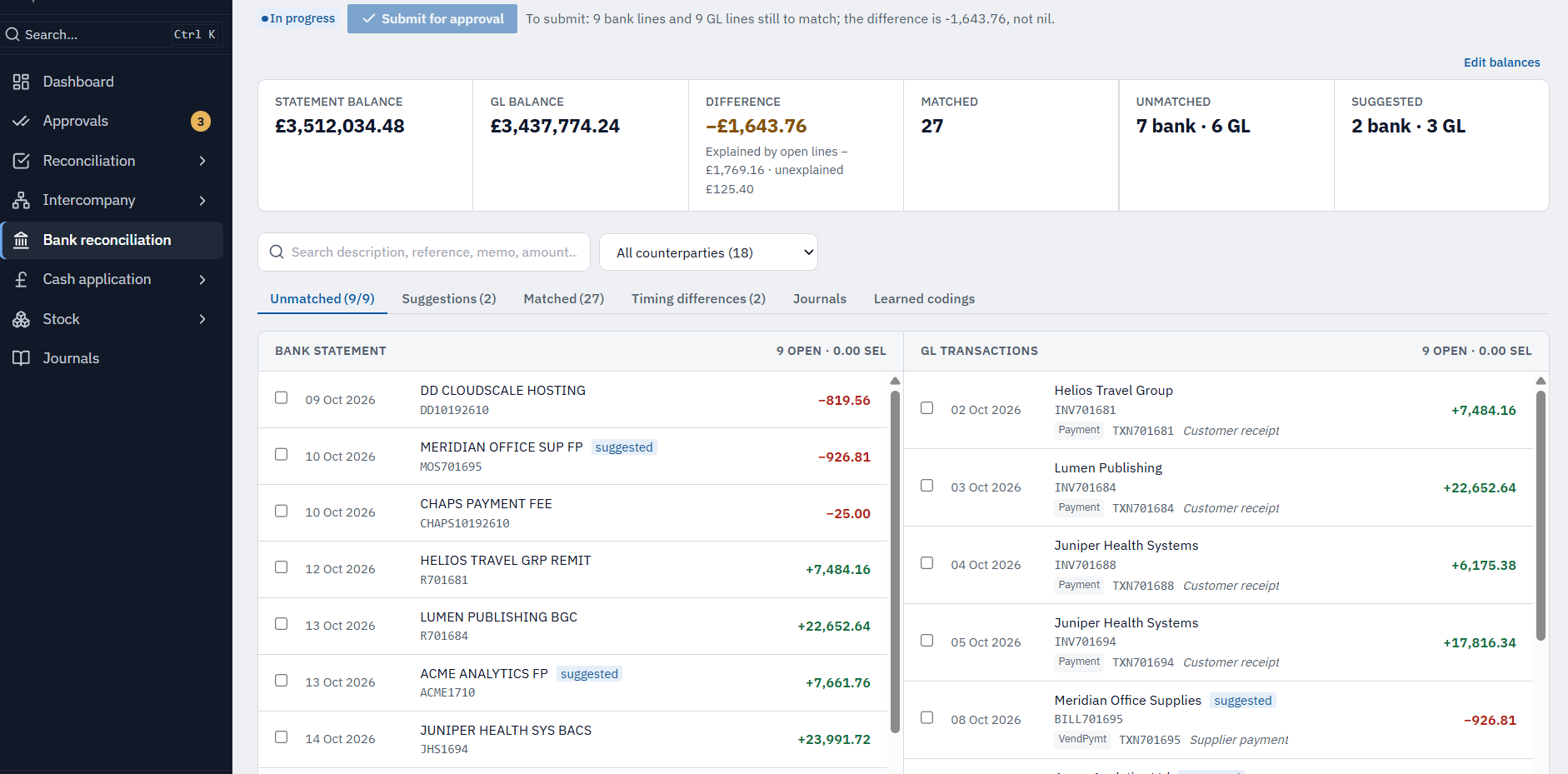
See it on example data.
A 30-minute walkthrough on Calder Systems' close, then a conversation about yours.