
MatchPoint · Bank reconciliation
Bank reconciliation that only lets you finish when it reconciles.
Import your bank statements, match them to the NetSuite ledger and clear the differences. MatchPoint tells you exactly what stands between you and a reconciled account.
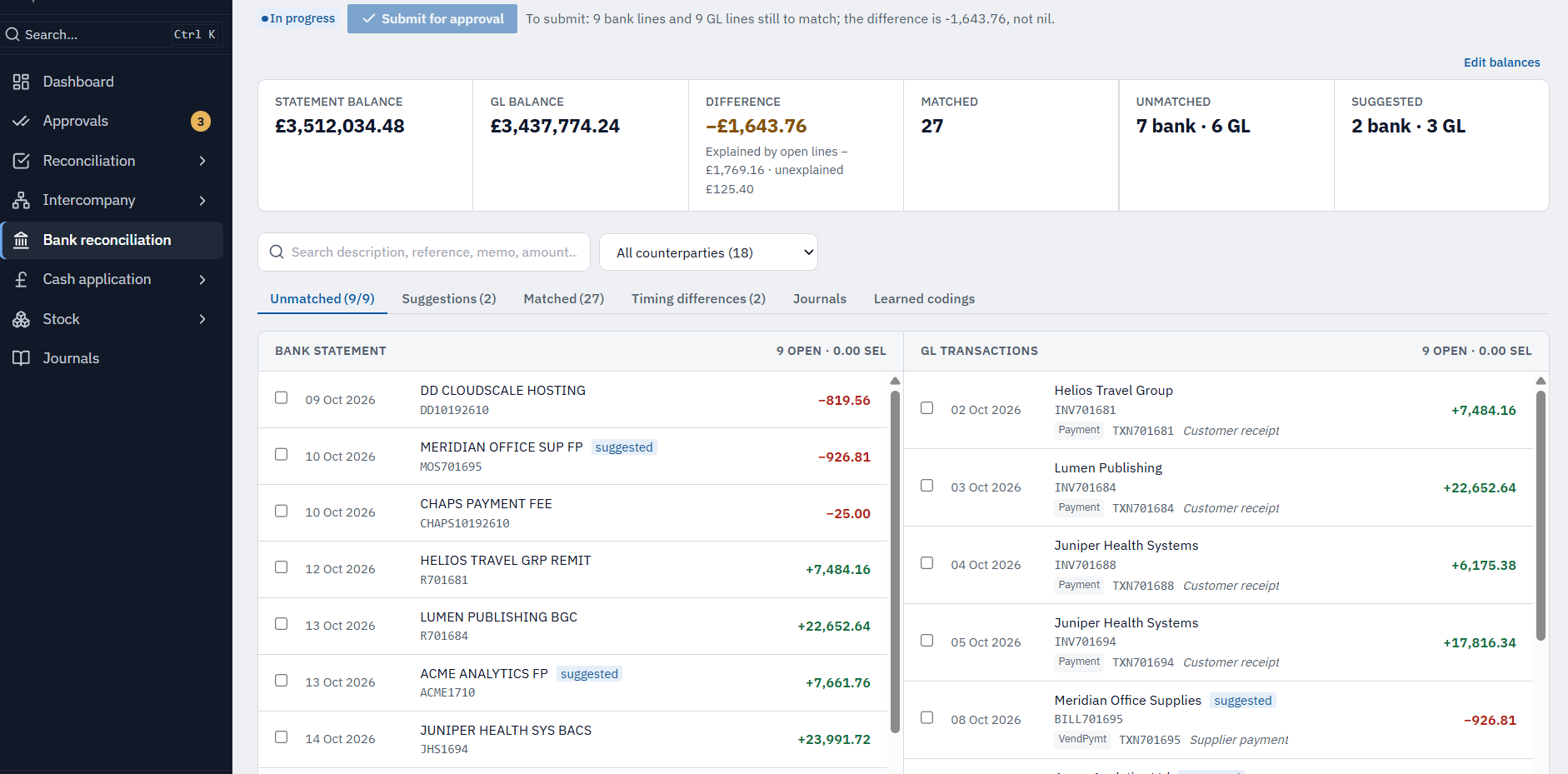
The problem
A bank reconciliation is only finished when the difference is nil. Done in a spreadsheet, it's easy to call it done when it isn't — and to lose the timing items that explain the gap.
In detail
What bank reconciliation gives you.
What you get
Statement import
CSV (including NatWest Bankline), MT940, camt.053 and BAI2.
Matching
Automatic matches and suggestions, with one-to-many and many-to-many matching when you need it.
Timing items
Unpresented payments and deposits in transit are set aside and carried forward until they clear.
Bank charges and interest
Proposed as journals, approved, then exported for NetSuite's import assistant.
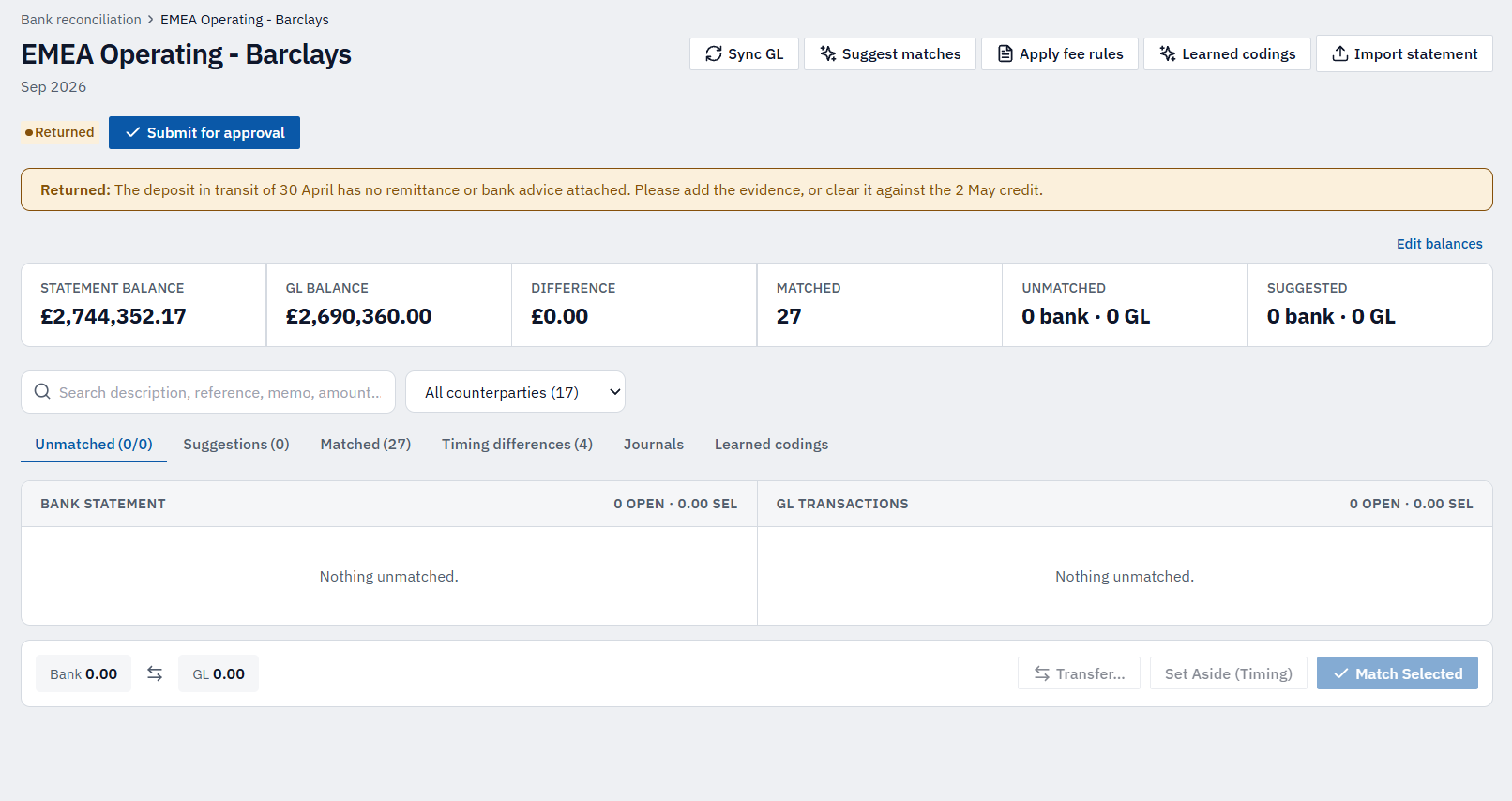
Submit only when it's right
Submission is blocked until the statement balance is in, every line is matched or explained, and the difference is nil — and MatchPoint tells you what's left.
Payment files
pain.001 payment files, with maker and checker.
Locked months stay locked
Once a month is approved and closed, it can't be changed by a later import.
From statement to reconciled
MatchPoint tells you exactly what's left.
Import & match
Bring in CSV, MT940, camt.053 or BAI2. Automatic matches and suggestions handle the bulk, with one-to-many matching when you need it.
Explain the rest
Set aside unpresented payments and deposits in transit as timing items; propose bank charges and interest as journals.
Submit when nil
Submission is blocked until the statement balance is in, every line is matched or explained, and the difference is nil.
Explained matching
Every match explains itself.
MatchPoint proposes each match with a plain-language reason and a confidence score. It confirms a match automatically only when it’s clear-cut and the only possible pairing; everything else is a suggestion that someone accepts or dismisses.
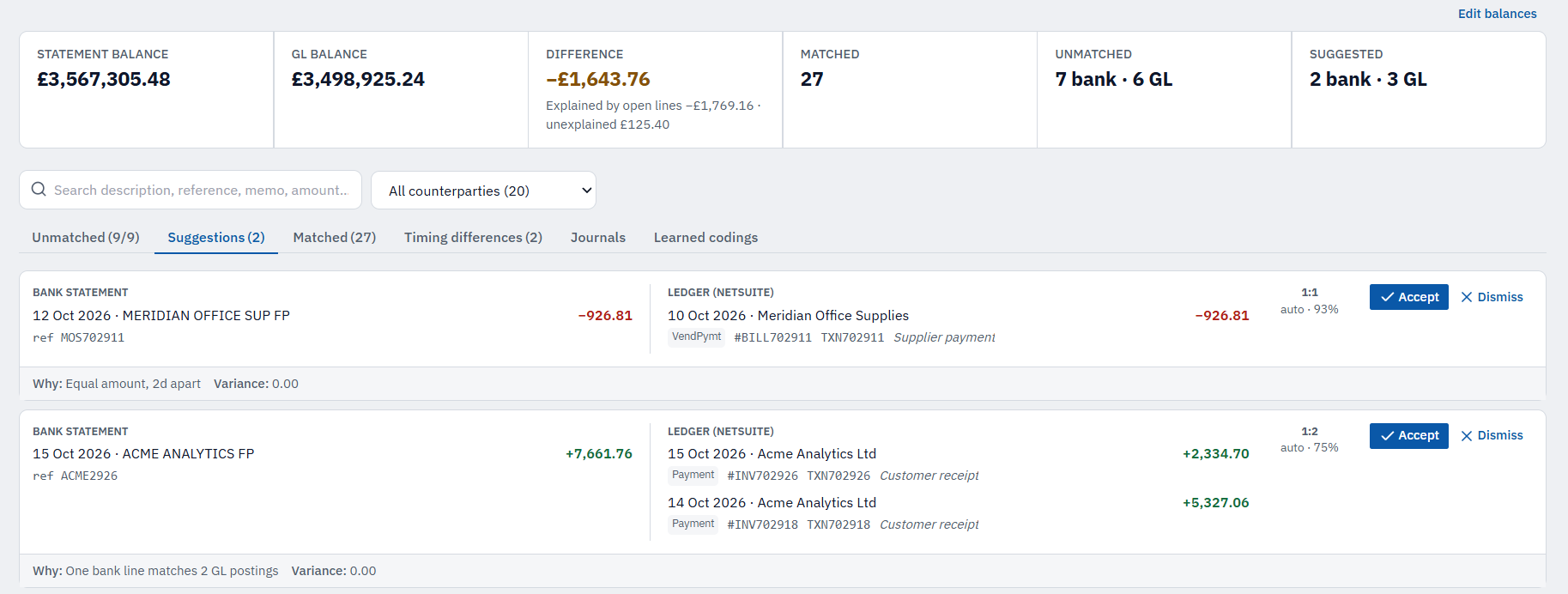
An explained match — scroll, or hover a point
The difference
See what explains the difference.
The gap to nil is split into what’s already explained and what isn’t. Explained items include timing items — unpresented cheques and deposits in transit — that carry forward and clear automatically, and fee journals awaiting approval. So you can see exactly what’s standing between you and nil.
- Statement balance
- £3,512,034.48
- GL balance
- £3,427,774.24
Example figures from the EMEA Operating reconciliation.
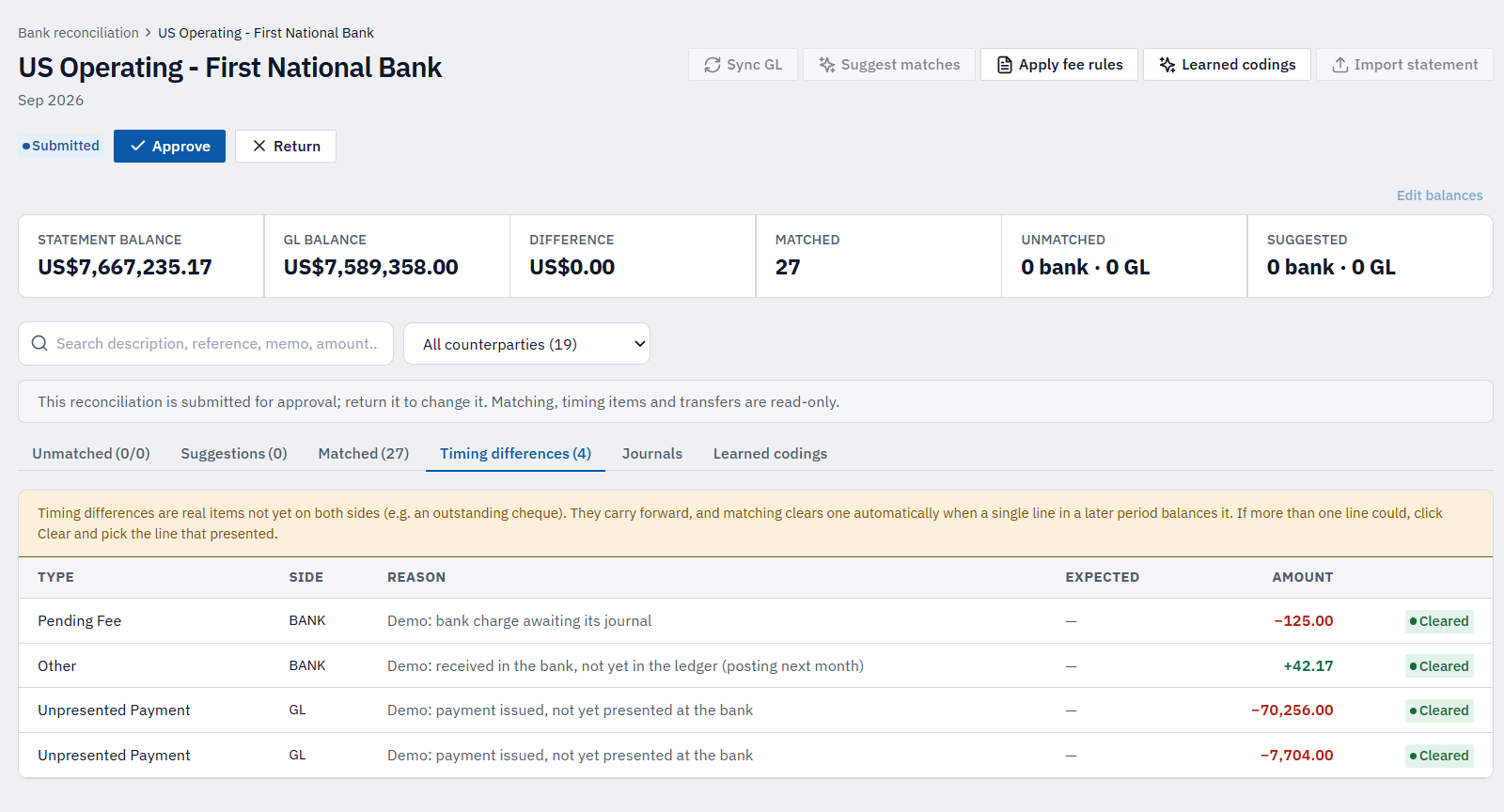
The finish line
Submit only when the difference is nil.
Nothing unmatched, every timing item set aside, and the statement tied to the ledger — then it goes to a second person to approve.
More of MatchPoint
Explore the other modules.
See a reconciliation reach nil.
A 30-minute walkthrough on Calder Systems' bank reconciliation — import to nil — then a conversation about yours.