
MatchPoint · Cash application & credit control
Every receipt matched with a reason. Every customer ranked by who to chase.
MatchPoint works out who paid and what they paid for, explains each match, and routes it through second-person approval into NetSuite. The same up-to-date ledger then gives your credit team a ranked list of who to contact today, and why.
The problem
Cash sits unapplied while customers who should be chased aren't — because matching receipts and working the ledger are two separate jobs, usually done in two separate places.
- Abbreviated payer names that don't match the customer
- Part payments and credit notes that don't tie to one invoice
- Chasing customers who have already paid
How it works
From bank receipt to the right next call.
- 01
Bank statement
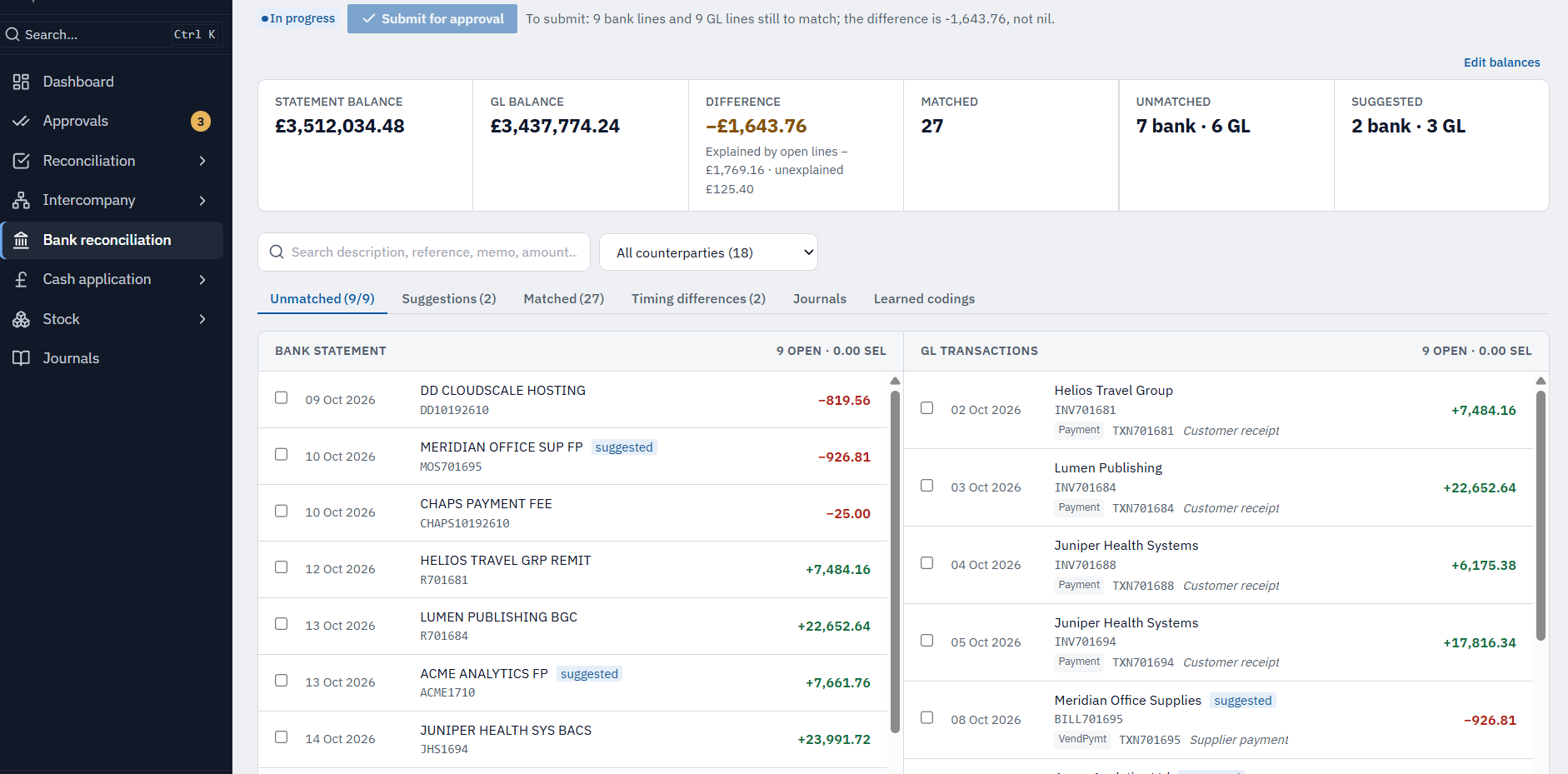
Every credit on your bank statement becomes a receipt to apply.
- 02
Proposed match + reasons
MatchPoint proposes a customer, the invoices it pays and a confidence score — with the reason in plain words.
- 03
Your team confirms
Clear matches are confirmed in bulk; anything uncertain waits for a person.
- 04
Second person approves
A different person approves each batch — never the one who prepared it.
- 05
Posted in NetSuite
Approved payments post to NetSuite in a way that can't post twice.
- 06
Balance drives the worklist
The up-to-date balance ranks who credit control should chase today.
Receipts come straight from your bank statements in MatchPoint Bank reconciliation, with no separate upload.Confirm: Confirm whether cash application requires Bank reconciliation and whether the NetSuite ledger feed is standard.
Apply the cash
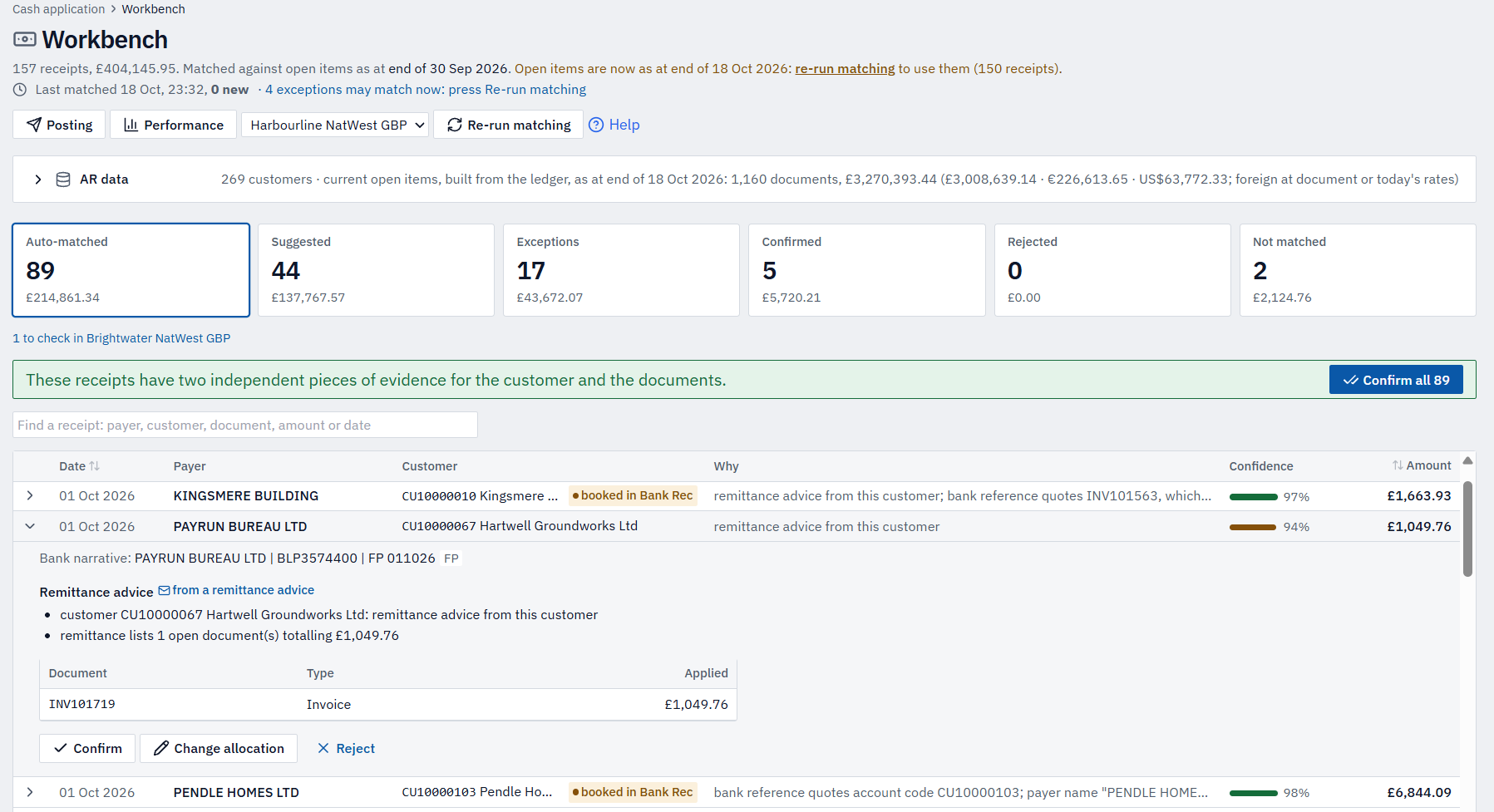
Match every incoming receipt to the right open invoices — with a reason you can see — then post it into NetSuite under a second pair of eyes.
An explained match
- 1
Proposed match
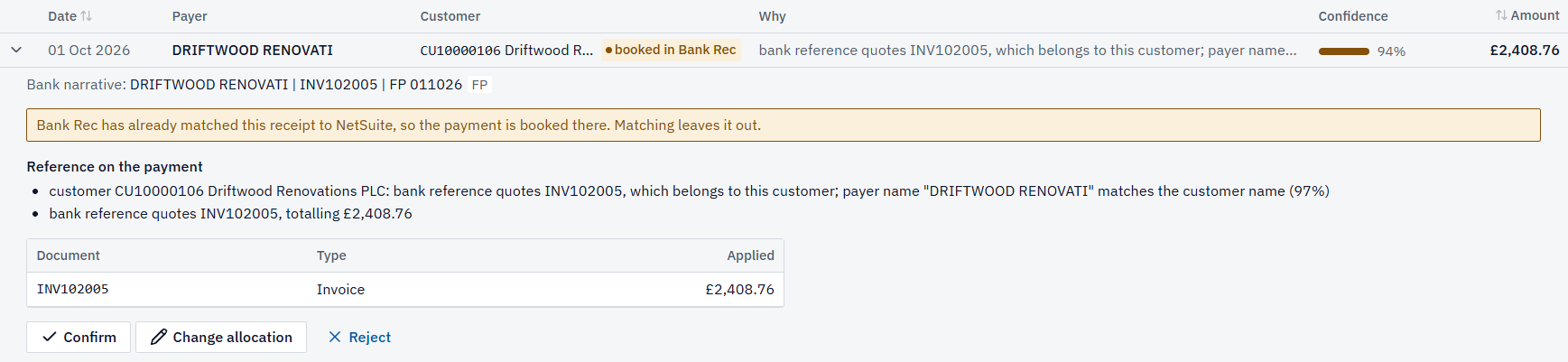
A customer, the invoice it pays and a score — for every receipt.
- 2
Why, in plain words
A reference, a remittance, or a payer name it has learned.
- 3
Confidence score
How sure MatchPoint is — what to trust, what to check.
- 4
Documents it pays
The exact invoices applied, with credit notes as negatives.
- 5
Confirm or hold
Clear matches in bulk; anything uncertain waits for a person.
Exceptions
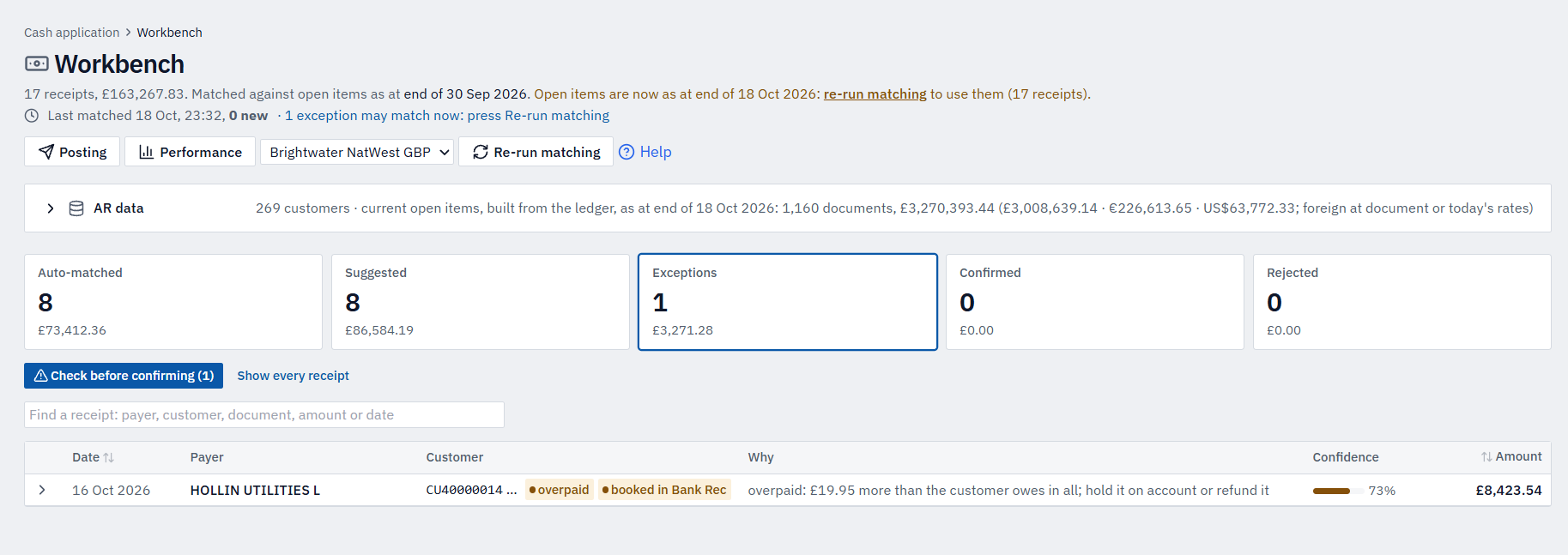
The difficult receipts are flagged, not guessed.
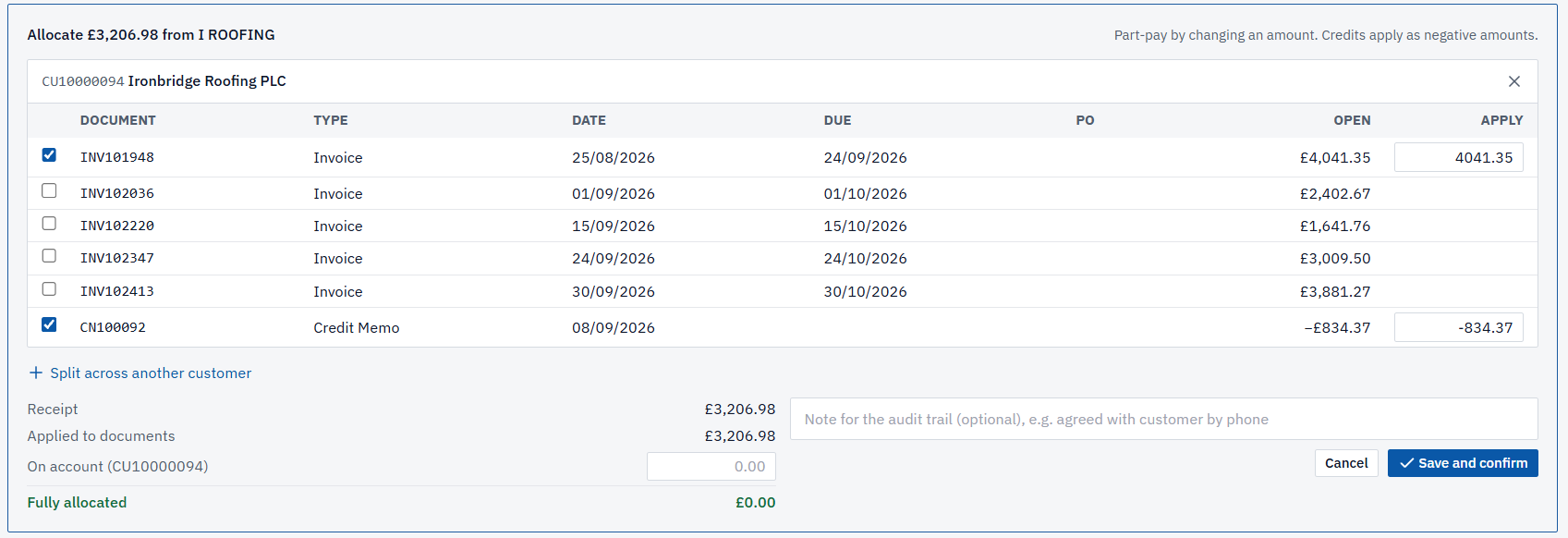
Overpayments, possible duplicates, payment bureaux and payers who could be one of two customers are named and explained. In one editor you can part-pay, apply credit notes, split across customers or hold the difference on account — never across companies or currencies, which NetSuite would reject.
Card settlements: Cardnet batches are matched to their payments; other processors are matched by hand.Confirm: Confirm which card processors are supported.
Control
Nothing reaches NetSuite without a second person.
Confirmed receipts are batched for approval, and the approver can’t be the person who prepared or confirmed them. Approved payments are imported into NetSuite in a way that can’t post twice, and every match and decision is recorded on the audit trail.
Credit control is read-only. Cash application posts approved payments only after a second person signs off.
Confirm before launch: Confirm the NetSuite posting wording (direct vs CSV import) and qualify the sitewide “read-only on NetSuite” footer line. Add “or posted directly” once direct posting is generally available.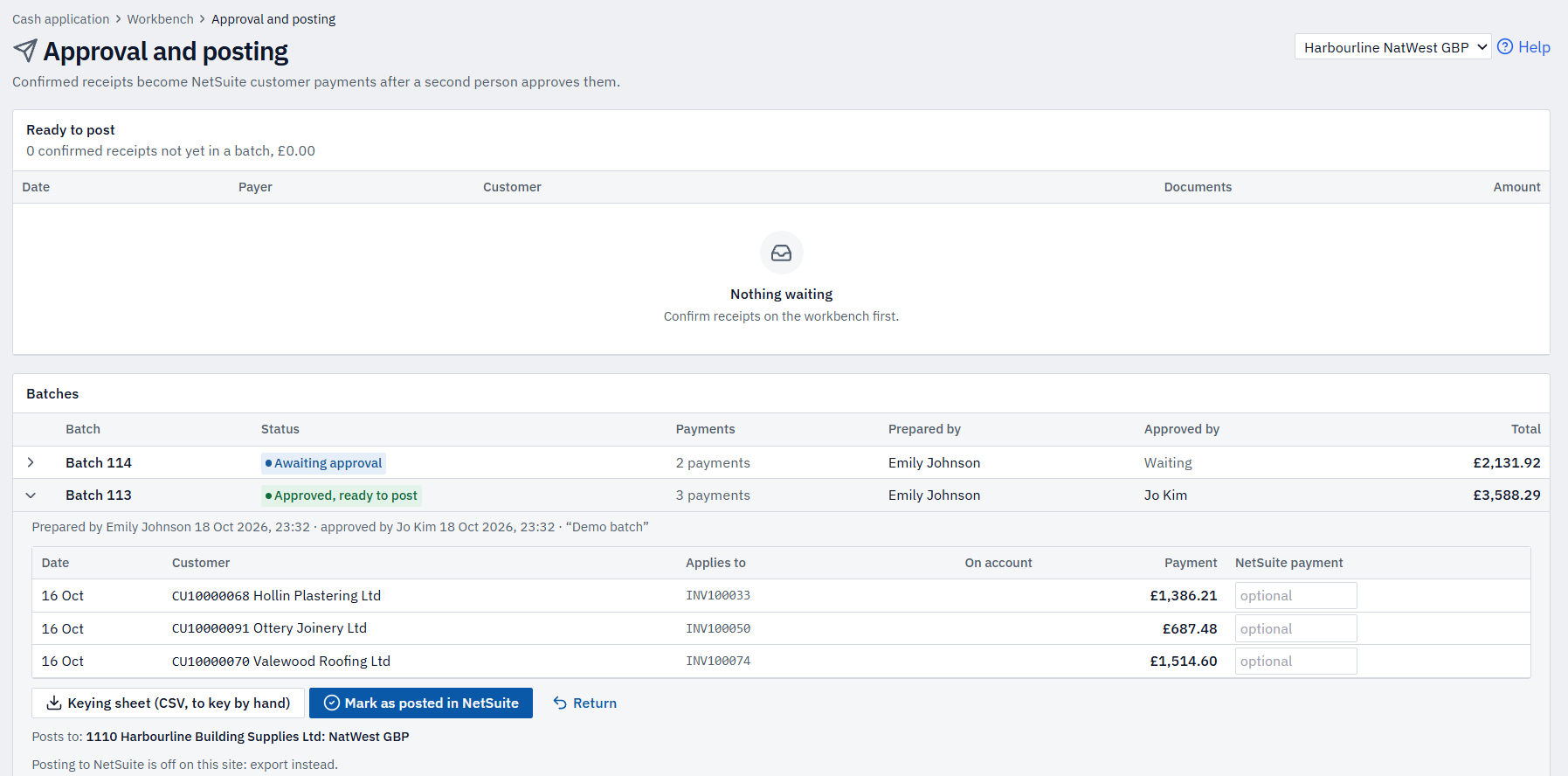
Work the ledger
Once a receipt is confirmed it moves the open balance — and the open balance is what ranks the worklist. Chase what's genuinely overdue, then open any customer to see the whole picture.
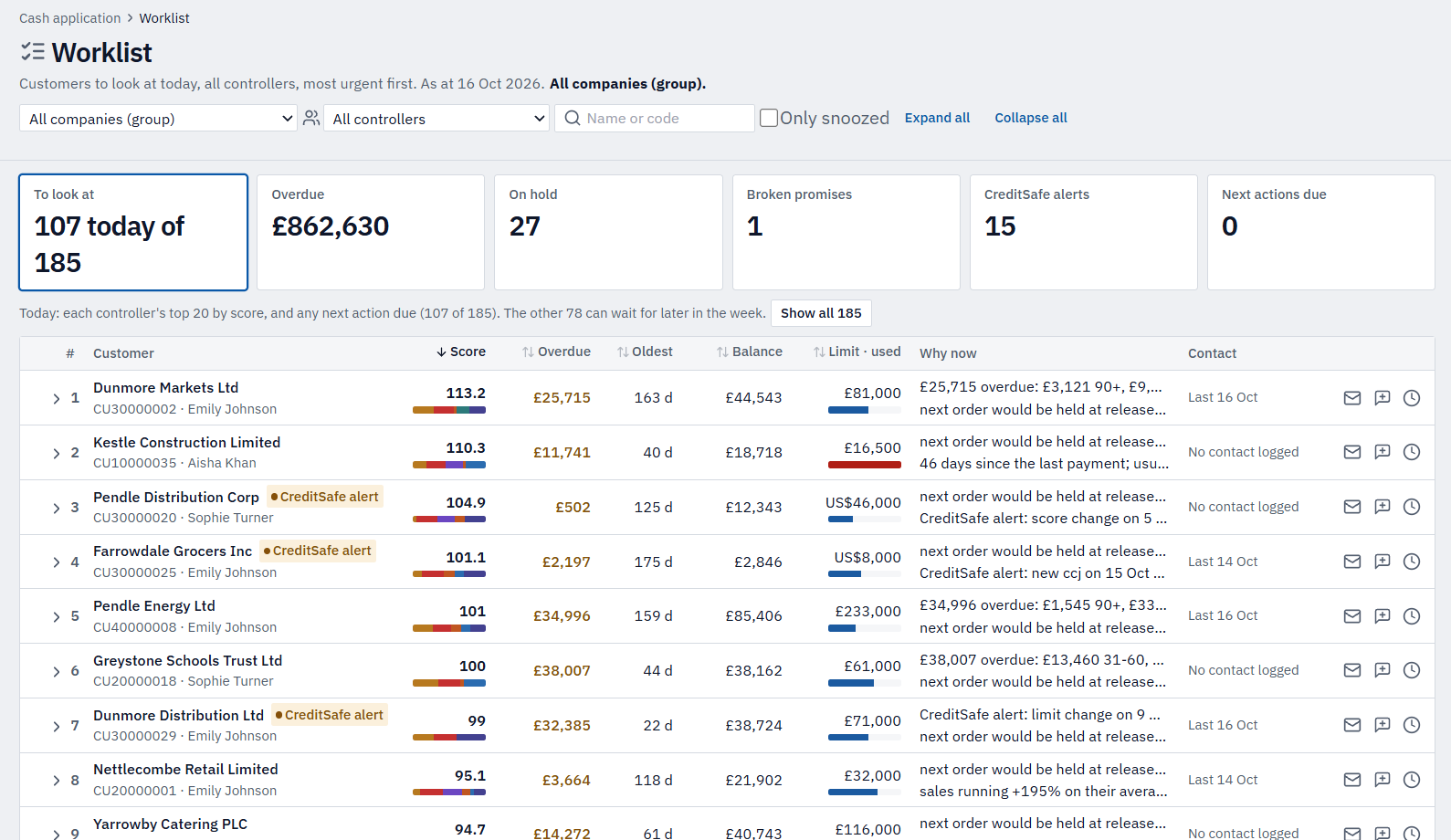
Open any row to see exactly what each part of the score is for.Confirm: Credit alerts depend on CreditSafe being confirmed. Describe order-hold risk as a guide, not as MatchPoint controlling NetSuite holds.
The customer view
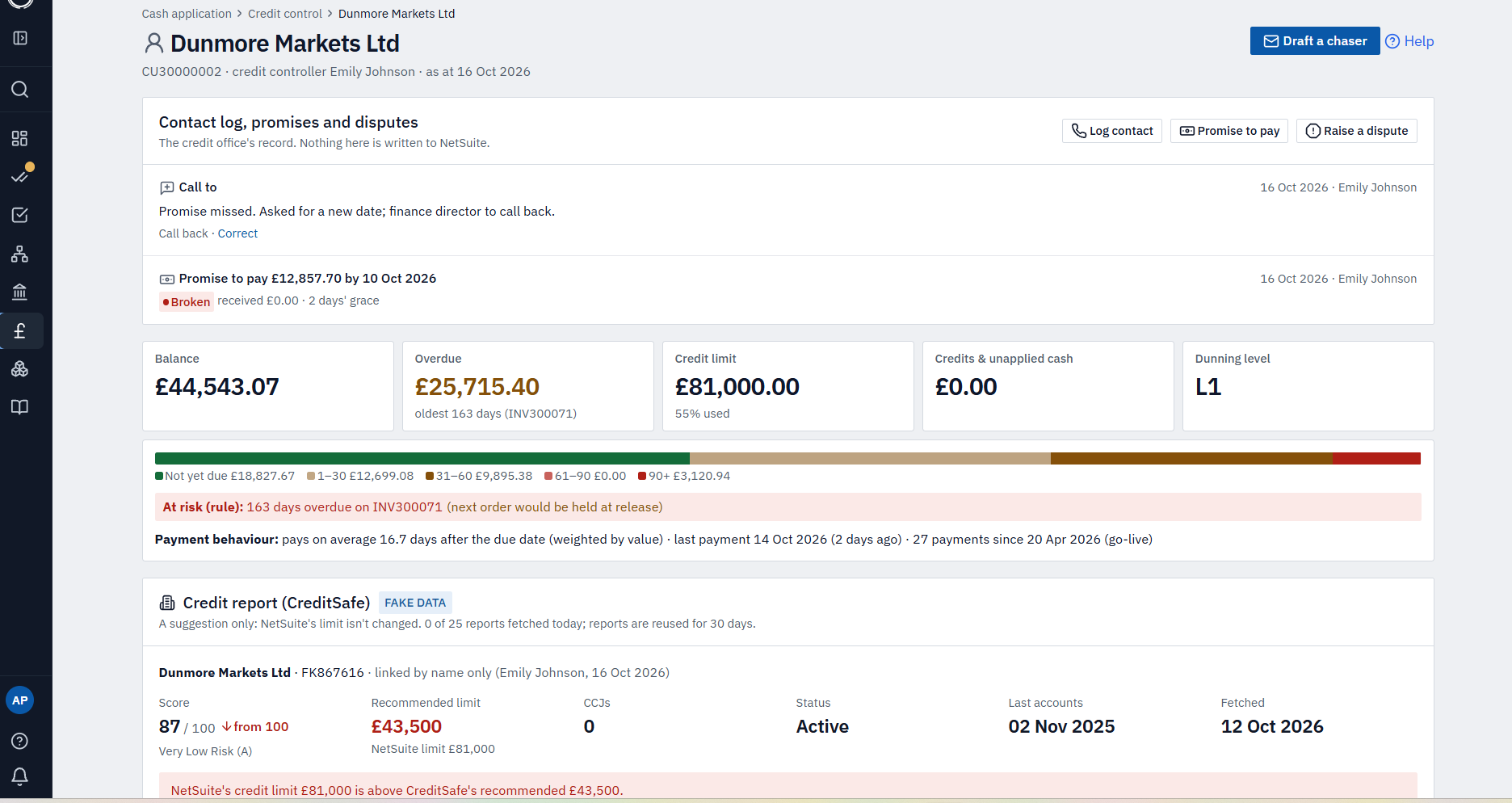
Open a customer and see exactly why they’re on the list.
Balance and ageing, credit limit, payment behaviour, open promises and disputes, and the full contact log — everything the collector needs in one view.
Promises are checked automatically against confirmed receipts, disputed invoices are left out of chasing and scoring, and chasers are drafted from your own templates — suggested by the situation, never sent automatically.
Receipts, match rate and overdue AR for every company, tied to the AR control account in NetSuite.
More of MatchPoint
Explore the other modules.
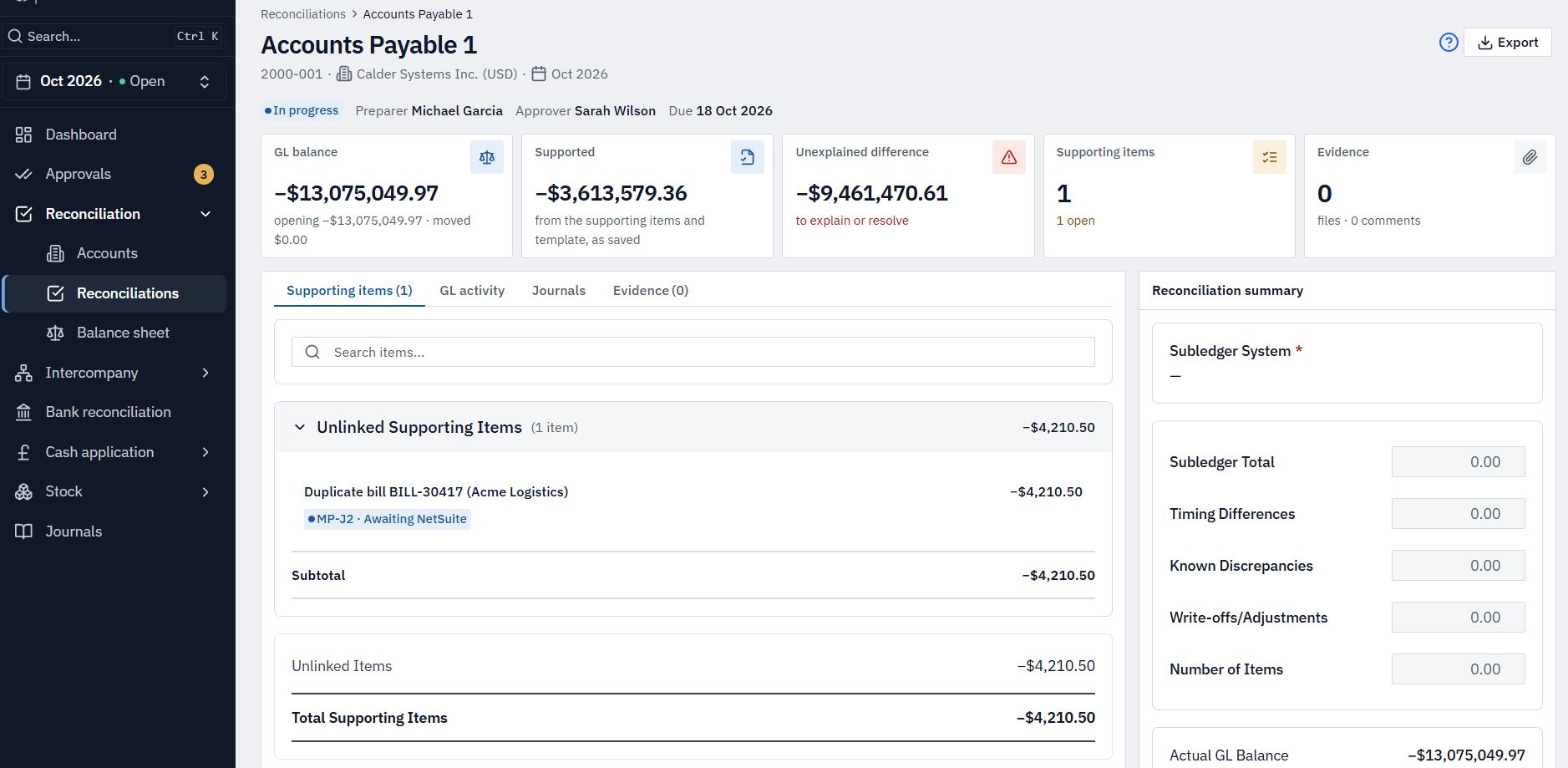
See it on example receivables data.
A 30-minute walkthrough on example receipts and collections, then a conversation about yours.